When a customer cancels a WooCommerce subscription, it doesn’t actually cancel right away. WooCommerce Subscriptions sets the status to “pending-cancel” and waits until the current billing period ends before completing the cancellation.
That makes sense for some businesses. If a subscriber paid for a month, they should get the full month. But for stores that don’t need that grace period, the pending-cancel state just creates extra subscriptions sitting in limbo that someone has to deal with manually.
TLDR
Hook into woocommerce_subscription_status_updated, check for the pending-cancel status, and immediately update it to cancelled. One snippet, no plugin needed. Add it to your child theme’s functions.php or a code snippets plugin.
The snippet
add_action( 'woocommerce_subscription_status_updated', 'auto_cancel_pending_subscriptions', 10, 3 );

function auto_cancel_pending_subscriptions( $subscription, $new_status, $old_status ) {
    if ( ! is_a( $subscription, 'WC_Subscription' ) ) {
        return;
    }

    if ( 'pending-cancel' !== $new_status ) {
        return;
    }

    try {
        $subscription->update_status( 'cancelled' );
        error_log( 'Subscription #' . $subscription->get_id() . ' auto-cancelled from pending-cancel.' );
    } catch ( Exception $e ) {
        error_log( 'Failed to auto-cancel subscription #' . $subscription->get_id() . ': ' . $e->getMessage() );
    }
}
Also on GitHub: gist.github.com/shameemreza/ed6ff1c664c497acbcc37e7892a03974
How it works
The woocommerce_subscription_status_updated hook fires every time a subscription’s status changes. The function checks if the new status is pending-cancel. If it is, it immediately flips the status to cancelled and logs the action.
The try/catch block is there because update_status can throw an exception if something goes wrong (a conflicting hook, a database issue, or a gateway callback failing). The error gets logged to wp-content/debug.log if WP_DEBUG is enabled so you can trace any failures.
Where to add it
Two options:
- Your child theme’s
functions.phpfile. If you don’t have a child theme, create one first. Editing the parent theme’sfunctions.phpmeans losing the change on the next theme update. - A code snippets plugin like WPCode or Code Snippets. These let you manage custom PHP from the WordPress admin without touching theme files.
Test it before going live
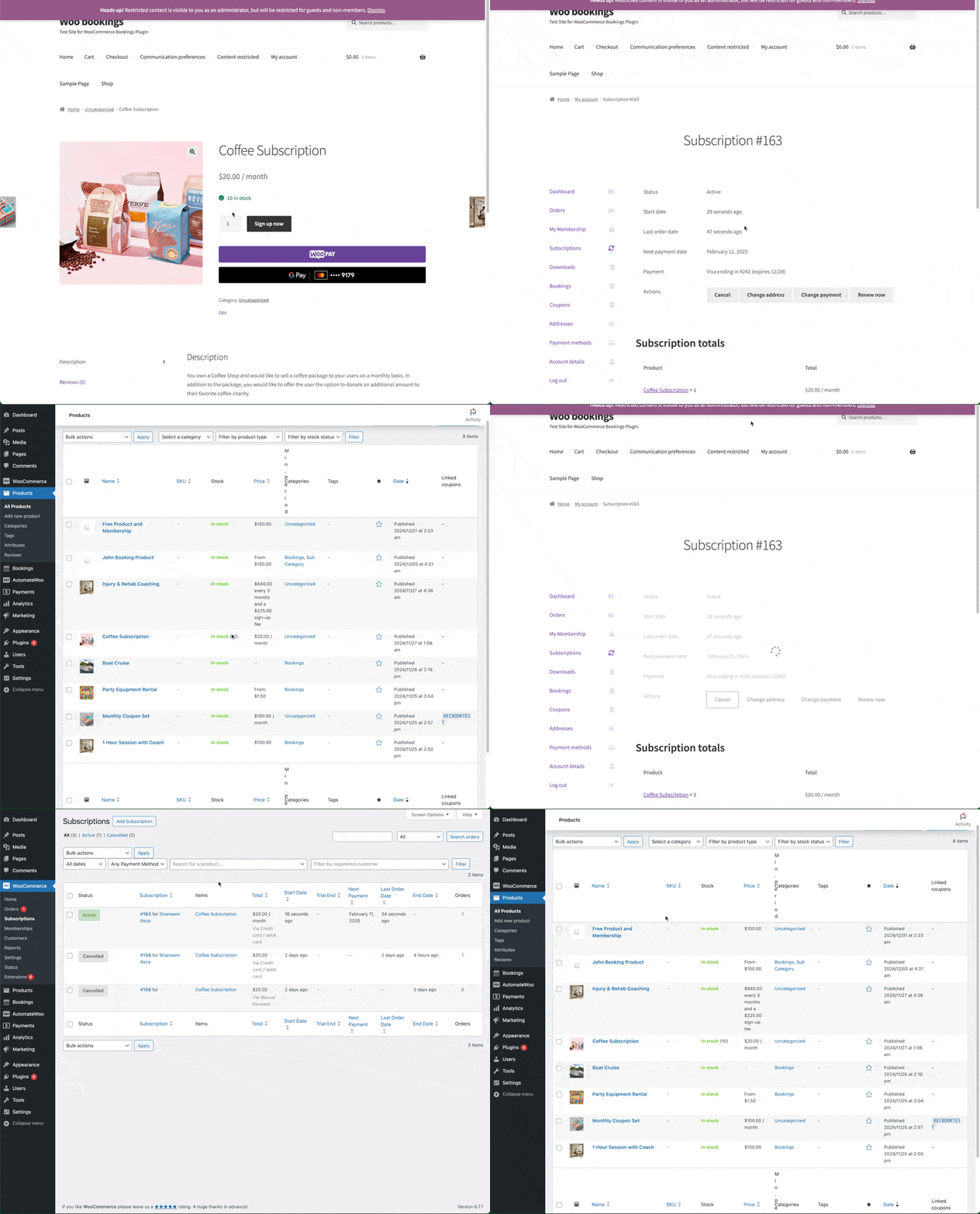
Create a test subscription product (simple subscription, any price). Purchase it as a test customer. Then cancel the subscription from the customer’s My Account page. The status should jump straight from active to cancelled, skipping the pending-cancel state entirely.
Check wp-content/debug.log for the auto-cancel confirmation message.
Alternative: disable pending-cancel entirely
WooCommerce Subscriptions has a built-in filter called woocommerce_subscription_use_pending_cancel. Setting it to false prevents the pending-cancel status from ever being applied. Cancellations go straight to cancelled.
add_filter( 'woocommerce_subscription_use_pending_cancel', '__return_false' );This is simpler than the hook approach above. The difference: the filter skips pending-cancel at the source, while the hook catches it after the fact and flips it. Both get you to the same result. Pick whichever reads clearer to your team.
When you might not want this
If your store offers digital content or services that subscribers access until their billing period ends, skipping pending-cancel cuts off access early. In that case, the default behavior is the right one.
Same for stores that use the pending-cancel window to send a retention email or offer a discount before the cancellation finalizes. Removing that window removes the chance to save the subscription.
This snippet is best for stores where cancellation should be immediate: one-time box shipments where the next box hasn’t been packed yet, or services where access is managed separately from the subscription status.